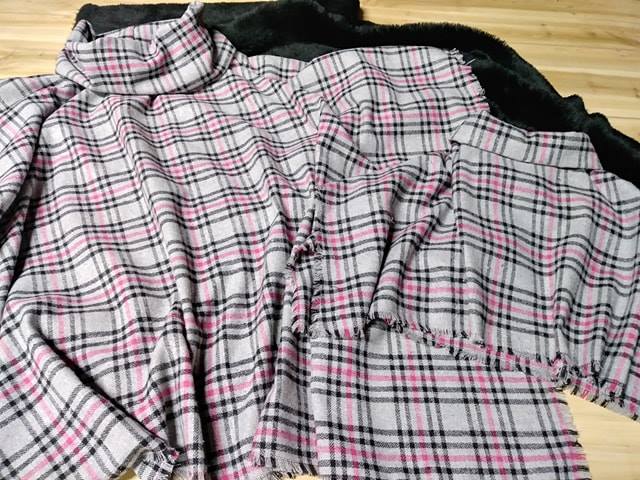
Generate Geometric Fabric Patterns with Python Scripts
Python gives textile designers a practical way to create repeatable geometric artwork without drawing every tile by hand. A short script can generate grids, stripes, diamonds, arcs, tessellations and abstract motifs, then export them as high-resolution files for fabric printing.
For an Australian fabric studio developing its online presence, this approach can support collections suited to homes in Melbourne, Sydney, Brisbane and regional areas. It also makes it easier to test colourways, adjust repeat sizes in millimetres and prepare artwork for local printers or print-on-demand suppliers.
Choose A Pattern System
Start by deciding what kind of repeat will control the design. A simple straight repeat places each tile beside the next one, while a half-drop repeat shifts alternate rows vertically. Mirror repeats can create balanced ornamental effects, and brick repeats work well for horizontal bars, rectangles and offset blocks.
Geometric patterns are easiest to manage when their rules are clear. You might define a tile as a 300 mm square containing six circles, four diagonal lines and a central diamond. The script then places those objects according to coordinates rather than relying on manual dragging.
Think about the intended fabric use before selecting the structure. A small quilting cotton print can handle a tighter motif, while upholstery, curtains and outdoor fabric usually benefit from larger shapes that remain visible across a broad surface. Australian interiors often use natural neutrals, muted greens and warm terracotta, so build the geometry around the room rather than treating the pattern as an isolated graphic.
Prepare The Python Workspace
Install a current Python version and choose a graphics library. Pillow is suitable for raster images, SVGwrite creates scalable vector artwork, and NumPy helps with numerical operations such as coordinate grids and colour calculations. Matplotlib is useful for previews and mathematical plots, although it may require extra work for production-ready vector output.
A basic Pillow setup can create a canvas, draw shapes and save a PNG:
from PIL import Image, ImageDraw

width, height = 1200, 1200
background = "#F3EBDD"
ink = "#263A36"

image = Image.new("RGB", (width, height), background)
draw = ImageDraw.Draw(image)

for x in range(0, width, 200):
    for y in range(0, height, 200):
        draw.rectangle((x + 20, y + 20, x + 150, y + 150),
                       outline=ink, width=8)

image.save("geometric_repeat.png", dpi=(300, 300))
Use a virtual environment when a project has several libraries. Keep the pattern rules, palette and export settings in separate sections of the script. This makes it simple to create a coastal blue version for a Sydney collection, a bush-inspired green version for Canberra, or a sun-resistant outdoor colourway for Brisbane without rewriting the geometry.
Build Geometry With Code
Most pattern scripts begin with a coordinate system. Define the tile width and height, then calculate every motif from those boundaries. Functions are useful because they let you draw the same shape at different positions, sizes and rotations.
from PIL import Image, ImageDraw

tile = 800
image = Image.new("RGB", (tile, tile), "#F7F1E5")
draw = ImageDraw.Draw(image)

def diamond(cx, cy, size, fill):
    points = [
        (cx, cy - size),
        (cx + size, cy),
        (cx, cy + size),
        (cx - size, cy)
    ]
    draw.polygon(points, fill=fill)

for row in range(4):
    for column in range(4):
        x = column * 200 + 100
        y = row * 200 + 100
        diamond(x, y, 65, "#C56B45")
        draw.ellipse((x - 25, y - 25, x + 25, y + 25),
                     fill="#355C58")

image.save("diamond_pattern.png", dpi=(300, 300))
To generate variation, use controlled randomness. The random module can alter rotation, spacing or colour selection, while a fixed seed ensures the same design can be recreated later. Avoid completely unrestricted randomness because it may produce awkward gaps, inconsistent density or motifs that fail to align at the tile edge.
For a more mathematical look, use formulas for spirals, radial arrangements and wave lines. A hexagonal grid can produce honeycomb structures, and trigonometric functions can create smooth bands. Save the parameters alongside each artwork, including the random seed, tile dimensions, palette and script version.
Compare Pattern Generation Methods
Different production goals call for different tools. Raster output is quick and accessible, while vector output is generally easier to scale for wallpaper, fabric rolls and large upholstery panels. A designer can also combine both methods by generating geometry as SVG and creating a raster preview for online product pages.
| Method | Best For | Main Advantage | Watch For |
|---|---|---|---|
| Pillow | PNG fabric previews and simple motifs | Easy setup and fast rendering | Fixed pixel dimensions |
| SVGwrite | Vector repeats and scalable artwork | Crisp edges at any size | Requires careful SVG structure |
| Matplotlib | Mathematical plots and prototypes | Strong coordinate and chart tools | Export settings need refinement |
| NumPy with Pillow | Complex grids and procedural effects | Efficient numerical calculations | More technical workflow |
| Blender Python | 3D textile mock-ups and lighting | Realistic product visualisation | Steeper learning curve |
Australian printers may request TIFF, PNG, PDF or a specific colour profile, so confirm their requirements before building a full collection. A file that looks excellent on an RGB monitor can print differently when converted for a CMYK workflow. Keep an untouched master file and export production copies separately.
Control Colour And Fabric Scale
A good script treats colour as data. Store a palette in a dictionary or list, then assign colours to motifs through clear rules. This allows quick experiments with palettes inspired by eucalyptus, ochre soil, ocean blues or the pale tones often used in Australian coastal interiors.
palette = {
    "base": "#F4EDE0",
    "primary": "#2F5D50",
    "accent": "#D68452",
    "dark": "#26363A"
}
Test the pattern at its real physical size, not only as a large image on screen. If the repeat tile is 200 mm wide and the exported file is 2400 pixels wide, the correct resolution is 300 pixels per inch. A 100 mm motif may look balanced in a thumbnail but feel overpowering on a cushion.
Create several scale versions from the same geometry. A 50 mm repeat may suit napery or craft fabric, a 200 mm repeat may work for cushions, and a 600 mm statement repeat may be appropriate for curtains. Record the finished scale in millimetres so customers, printers and interior designers have accurate information.
Render Seamless Repeats
A seamless tile must connect at every edge. A line crossing the right boundary needs a matching section at the left boundary, and a circle partly cut by the top edge must continue from the bottom. The safest method is to draw the tile in a larger temporary canvas, duplicate it in all directions, then crop the centre tile after checking the joins.
You can also use modular arithmetic to wrap coordinates:
wrapped_x = x % tile_width
wrapped_y = y % tile_height
This keeps objects inside the tile while preserving a consistent repeat system. For diagonal stripes or curved forms, edge testing is particularly important because small coordinate errors can create visible seams in printed fabric.
Preview the tile as a larger sheet before exporting. Place it four or nine times in a grid and inspect the joins at 100 per cent zoom. Then view it at a distance and as a small product thumbnail. A pattern that is technically seamless can still look too busy when repeated across a large sofa or wall.
Prepare Artwork For Australian Production
Fabric manufacturers use different specifications for file size, bleed, colour mode, maximum upload limits and repeat notation. Ask the selected printer for a current technical sheet rather than relying on an old template. This matters when ordering short runs in Australia, where local digital textile printers may have different equipment and turnaround processes from overseas suppliers.
Use metric measurements throughout the workflow. Define the repeat in millimetres, convert to pixels only during export and label files with useful details such as ochre_diamond_200mm_repeat_v03.png. Keep the source script, editable vector file, preview mock-up and final print file in one organised project folder.
Before approving a production run, order a strike-off or sample length. Check colour under daylight and indoor lighting, then inspect the hand, registration and motif scale. Sun exposure is especially relevant for rooms with strong northern light, verandas and Queensland outdoor settings. A sample can reveal problems that are invisible on a laptop display.
Present A Usable Pattern Collection
A pattern collection becomes easier to sell when every design has consistent information. Show the repeat size, base colour, available colourways, recommended uses and file format. Include a flat tile preview alongside a realistic cushion, curtain or upholstered chair mock-up so the scale is clear.
For an Australian audience, explain whether the fabric is intended for indoor use, light outdoor use, craft projects or commercial interiors. Mention practical details such as fabric width, care instructions, shipping within Australia and whether GST is included in the displayed price. These details reduce uncertainty for customers comparing local suppliers.
Python can generate multiple variations from one design system, which helps a small studio maintain a coherent range. Change the palette, motif density or repeat scale while preserving the underlying visual language. Use descriptive filenames and keep version history so a successful colourway can be reproduced months later.
Turn the scripts into a dependable design asset for Aurora Design Fabrics or any emerging textile label. Begin with one well-tested geometric tile, create a few Australian-focused colourways, verify the repeat on a physical sample and publish clear specifications. A reliable workflow can transform a mathematical idea into fabric artwork ready for customers, printers and interior projects.